If you are searching for a whiteboard for videos — whether for YouTube, online courses or business training — you may not actually need a whiteboard.
A dry-erase board looks like the obvious choice. It is large, reusable and familiar. But once you put it in front of a camera, two practical problems appear very quickly: the glossy surface can catch your lights, and every time the board fills up you have to erase what you have just explained.
A paper flip chart works differently. The surface is matte, and every sheet can stay exactly as you left it. You can move forward through an explanation and then flip back when you need an earlier idea again.
That is one reason a physical board fits so naturally into the teaching style of business educators such as Alex Hormozi, Russell Brunson and Grant Cardone. The board is not there as decoration. It gives them a place to build the explanation while the audience is watching.
Why a physical board works so well on video
There is a simple difference between showing a finished slide and drawing an idea as you explain it.
A slide arrives complete. The viewer has to decide where to look and what matters. On a board, the information appears in the same order as the explanation: first a word, then a number, then a box, an arrow, a connection.
The audience follows the thought as it develops.
That is useful when you are explaining something that has a sequence or a structure: an offer, a funnel, a sales process, a business model, a set of numbers or a framework with several moving parts.
It also keeps the production simple. You do not need a new graphic for every idea. Sometimes a marker and enough writing space are all you need.
But is it really a whiteboard?
This is where the terminology gets messy.
People often call any large writing surface a whiteboard, board, writing board, presentation board or easel. They are describing what they saw, not necessarily the technical category of the product.
So someone can reasonably search for “What whiteboard does Alex Hormozi use?” or “best whiteboard for videos” even if the board in the video is actually holding paper.
Technically, the distinction is straightforward: a whiteboard is a smooth dry-erase surface; a flip chart uses sheets of paper.
For video, that difference matters more than it first appears.
Problem #1: whiteboards can reflect your video lights
A dry-erase board has to be smooth enough for the marker to wipe off cleanly. The same smooth finish that makes it reusable can also behave like a reflector.
If you have ever tried to film one, you know the problem. The presenter can look perfectly lit while a bright patch appears across the board. Move a light, change the camera angle or step sideways and the reflection moves with you.
You can solve it with careful lighting. But it is one more thing to manage every time you record.
Paper is much easier to light
Flip chart paper has a matte surface. It does not produce the same hard reflections as a glossy dry-erase board, so it is much easier to keep both the presenter and the writing readable in the same shot.
That is the practical goal: the viewer should notice the explanation, not the lighting setup.
Problem #2: a whiteboard makes you erase your previous ideas
The second problem is less obvious until you teach something that takes more than one board.
Imagine explaining a business model. You fill the surface, move on to pricing, then want to refer back to the first diagram.
On a whiteboard, that first diagram is usually gone. You erased it to make room.
With a paper flip chart, you just turn the page.
The first idea stays intact. The second goes on the next sheet. If you need the first one again, you flip back to it. Nothing has to be redrawn and nothing has to be reconstructed from memory.
That makes the pages useful as part of the structure of the presentation itself.
A flip chart lets you move through ideas, not just write them down
A whiteboard gives you one reusable surface. A flip chart gives you a sequence.
One sheet can hold the framework. The next can hold the numbers. Another can hold the objection you want to address later. You can move between them without losing anything.
For long-form YouTube videos, recorded courses and live training, that can make the explanation easier to manage for the presenter and easier to follow for the audience.
Alex Hormozi: let the audience watch the idea being built
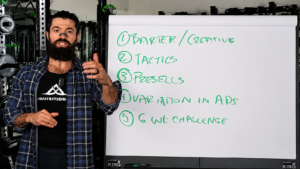
Hormozi is a good example because some of his strongest teaching videos use a very stripped-back format: presenter, marker, board.
He can put a number on the page, circle it, add an arrow, connect it to another idea and keep talking. The viewer sees the logic take shape instead of receiving the finished framework all at once.
KING Flipchart has appeared in his business-training content, including videos with very large audiences. It rarely needs to become the subject of the video. It simply gives him enough space to think visibly while he explains.
Russell Brunson: drawing the journey
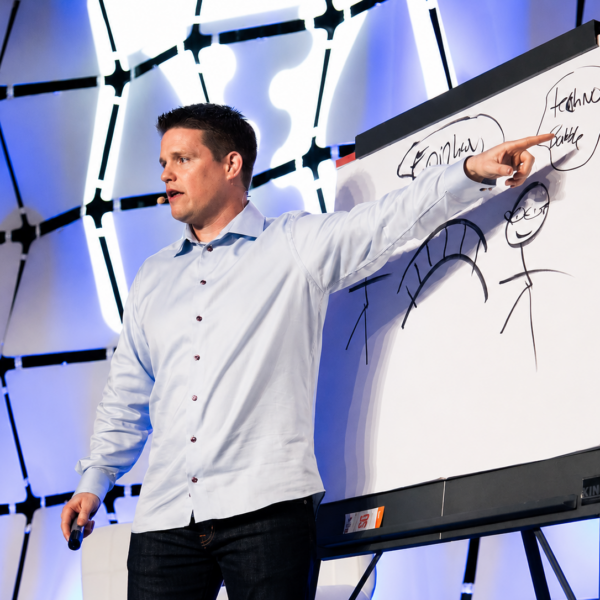
Russell Brunson works with ideas that are naturally visual: funnels, customer journeys, offers and marketing systems.
These are often easier to understand when someone draws the relationship between the parts instead of describing them one by one. A large board lets the diagram grow while the explanation grows with it.
Brunson has used KING Flipchart for this kind of presentation.
There is also an interesting language point here. People watching this sort of content often call the board a whiteboard even when the actual writing surface is paper. They search for the thing they remember seeing, not for the product category a manufacturer would use.
Grant Cardone: the board becomes part of the training
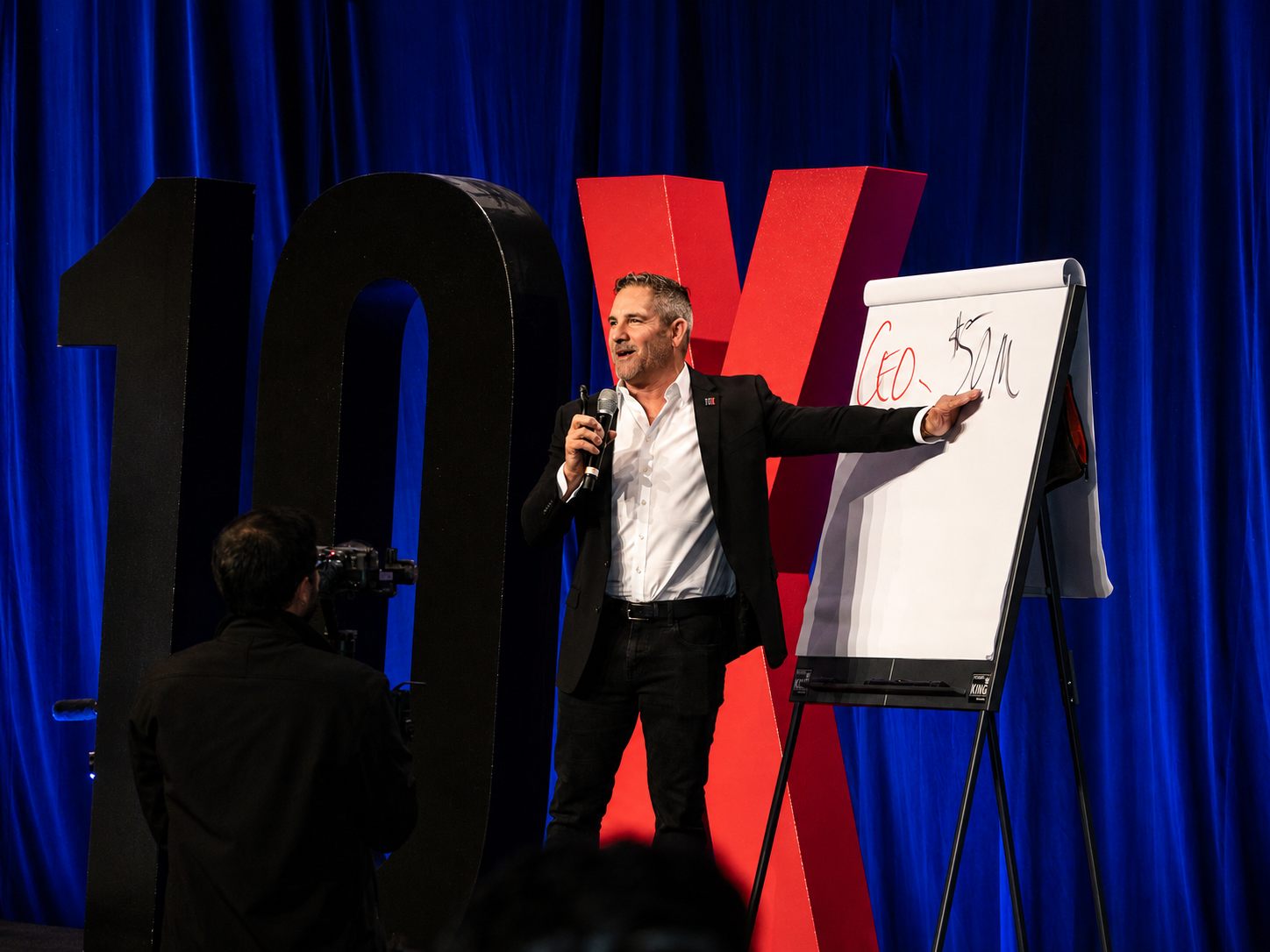
 Grant Cardone using KING Flipchart during a live training presentation.
Grant Cardone uses the board in a slightly different setting: live sales and business training.
Here the value is physical. The board stays beside the presenter. He can write, turn back to the audience, point to a number, add another note and continue without leaving the stage or switching attention to a screen.
That is why a large board can feel less like presentation equipment and more like part of the presenter’s working space.
Whiteboard vs paper flip chart for videos
| Whiteboard | Paper flip chart | |
|---|---|---|
| Writing surface | Dry-erase | Paper |
| Surface | Smooth / glossy | Matte |
| Light reflections | Can be an issue | Much less problematic |
| When the board is full | Erase it | Turn the page |
| Previous diagrams | Usually disappear | Remain available |
| Return to earlier concepts | Redraw them | Flip back |
| Presentation sequence | One reused surface | Multiple physical pages |
| Best suited to | Repeated brainstorming | Progressive visual teaching |
A whiteboard still makes sense when you want a surface you can use, wipe clean and reuse indefinitely.
Paper makes more sense when the explanation itself has a history and you want to keep that history available while you teach.
Why KING is different from a standard office flip chart
Switching from a whiteboard to paper only solves part of the problem. A normal office flip chart is usually narrow and designed for a small meeting room.
KING was built around a different use case. Its wide panel gives the presenter a much larger landscape writing area, so a diagram can develop horizontally and more of the content can stay visible beside the person speaking.
That matters on camera. The presenter does not have to stand directly in front of the writing all the time. The shot can hold the person and the board together without making either one feel squeezed into the frame.
KING is also designed to stay stable while you write and to fold for transport. Those details matter much more when the board is being used as a professional working tool rather than occasional meeting-room furniture.
So what is the best whiteboard for videos?
Sometimes the answer is a whiteboard.
If you want one surface that you can write on, wipe clean and use again, a dry-erase board does the job well.
But if you are teaching complex ideas, recording long-form videos, explaining frameworks or moving back and forth between several concepts, paper gives you something a whiteboard cannot: every stage of the explanation remains available.
And if you need more writing space than a standard office flip chart provides, that is the problem KING Flipchart was designed to solve.
The board is not the content
Hormozi, Brunson and Cardone are not interesting because there is a board standing beside them. The board works only because there is an idea worth explaining.
Its job is to make that idea easier to see while it is being developed.
Sometimes that is all the technology you need: a marker, paper and enough space to think out loud.
FAQ
Is a flip chart better than a whiteboard for recording videos?
It depends on what you are recording. A whiteboard is reusable, but its smooth surface can reflect studio lighting and you normally have to erase previous content. A paper flip chart has a matte surface and lets you keep earlier diagrams on separate sheets.
Why use paper instead of a dry-erase board for teaching videos?
Paper lets you keep each stage of an explanation, turn to a new sheet and return to an earlier diagram when you need it. Its matte surface is also easier to light without strong reflections.
What kind of board does Alex Hormozi use in his videos?
Hormozi has used KING Flipchart, a large professional paper-based flip chart, in business-training content. It is not a conventional dry-erase whiteboard.
Do Russell Brunson and Grant Cardone use flip charts?
Both Russell Brunson and Grant Cardone have used KING Flipchart while explaining business, marketing or sales concepts.
Can KING Flipchart be used for YouTube videos and online courses?
Yes. Its large landscape writing surface is well suited to situations where the presenter and handwritten content need to stay visible together, including business videos, recorded courses and professional training.